Broad archive-format support
Create, open, inspect and extract ZIP, 7Z and TAR families together with GZIP, BZIP2, XZ, ZSTD, LZ4, CAB, ISO and other formats.
WITIVE has completed development of CONZIP, a Windows compression program based on its proprietary CZA technology, and is preparing for the official service launch. CONZIP combines broad archive-format support, CONZIP Folder, CONZIP USB and file conversion in one application.

WITIVE has completed the core development of CONZIP, a compression program for Windows, and entered the final preparation stage for its official service launch. CONZIP turns WITIVE’s proprietary lossless compression technology CZA, announced on July 27, into a desktop product for everyday use.
Beyond creating and extracting archives, CONZIP brings together broad archive-format support, CONZIP Folder for automatically reducing the space used by ordinary folders, CONZIP USB for portable compressed storage, and file conversion for images, documents, PDFs, video and audio.
Read about WITIVE’s CZA compression technologyCreate, open, inspect and extract ZIP, 7Z and TAR families together with GZIP, BZIP2, XZ, ZSTD, LZ4, CAB, ISO and other formats.
Keep existing names, extensions and icons while files inside a folder are automatically compressed in the background to reduce disk usage.
Turn a USB drive or external SSD into CZA-based portable storage with per-file compression, management, export and optional encryption.
Convert and batch-process five categories—images, documents, PDFs, video and audio—directly on the PC.
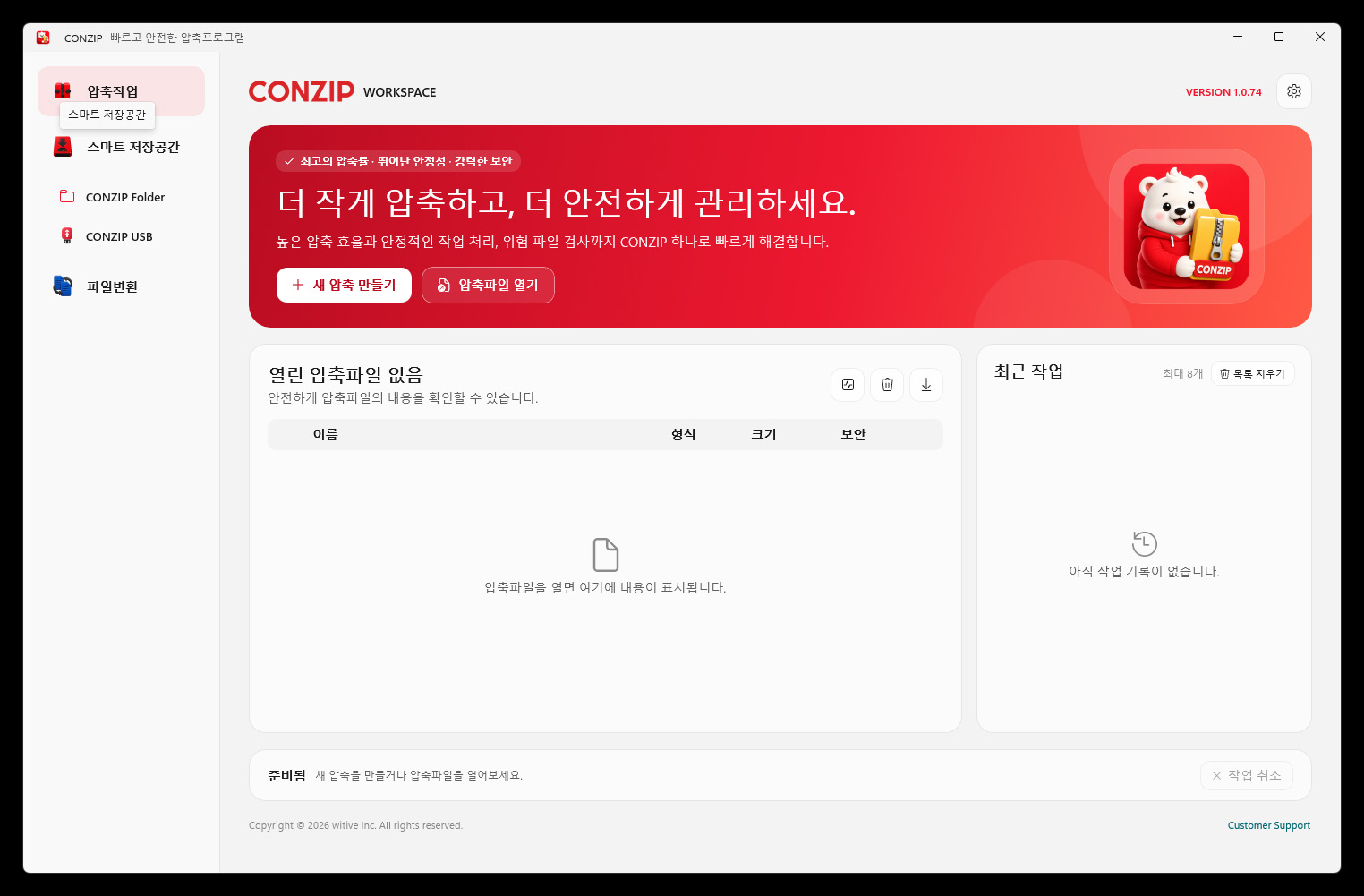
The main CONZIP workspace brings together new archive creation, opening existing archives, browsing their contents, recent jobs and progress status. Frequently used functions are immediately available from the left navigation, reducing complicated menu navigation.
CONZIP handles common ZIP and 7Z archives, TAR-based formats, stream compression formats and CZA. It also includes archive integrity checks, unsafe-path blocking and encryption options for safer file operations.
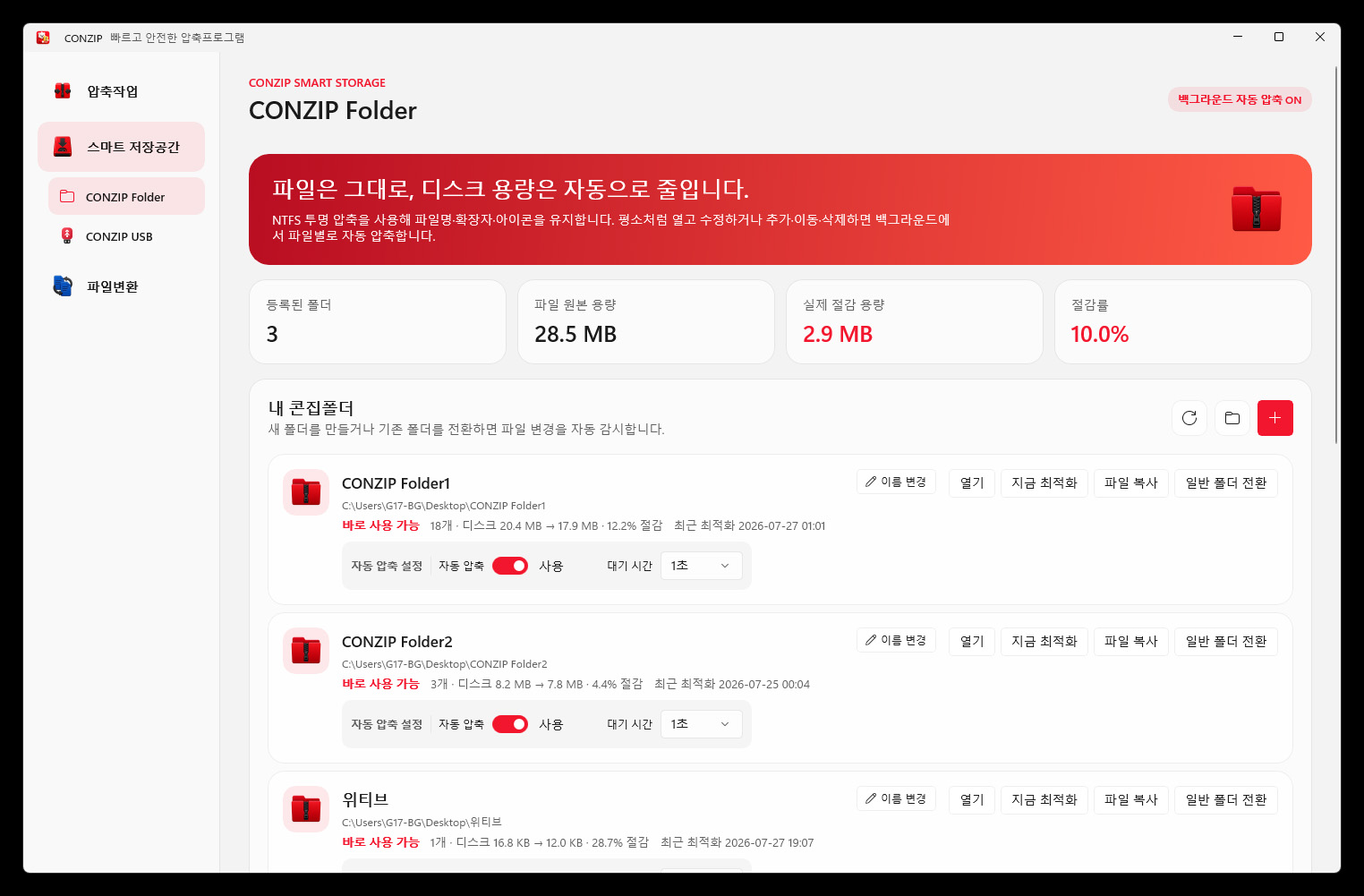
CONZIP Folder preserves the familiar Windows folder experience while detecting file creation, movement and modification and compressing files automatically in the background. Users can continue opening and editing files without changing their names, extensions or icons.
Automatic compression can be enabled per folder, and the screen displays original size, actual disk usage, saved capacity and reduction rate. Users can optimize immediately or return a managed location to a standard folder when needed.
CONZIP USB stores files as individual CZA objects on a USB drive or external SSD and provides a dedicated interface for opening, renaming, deleting, searching and exporting them. It can also detect files and folders copied to the removable device and bring them into managed storage.
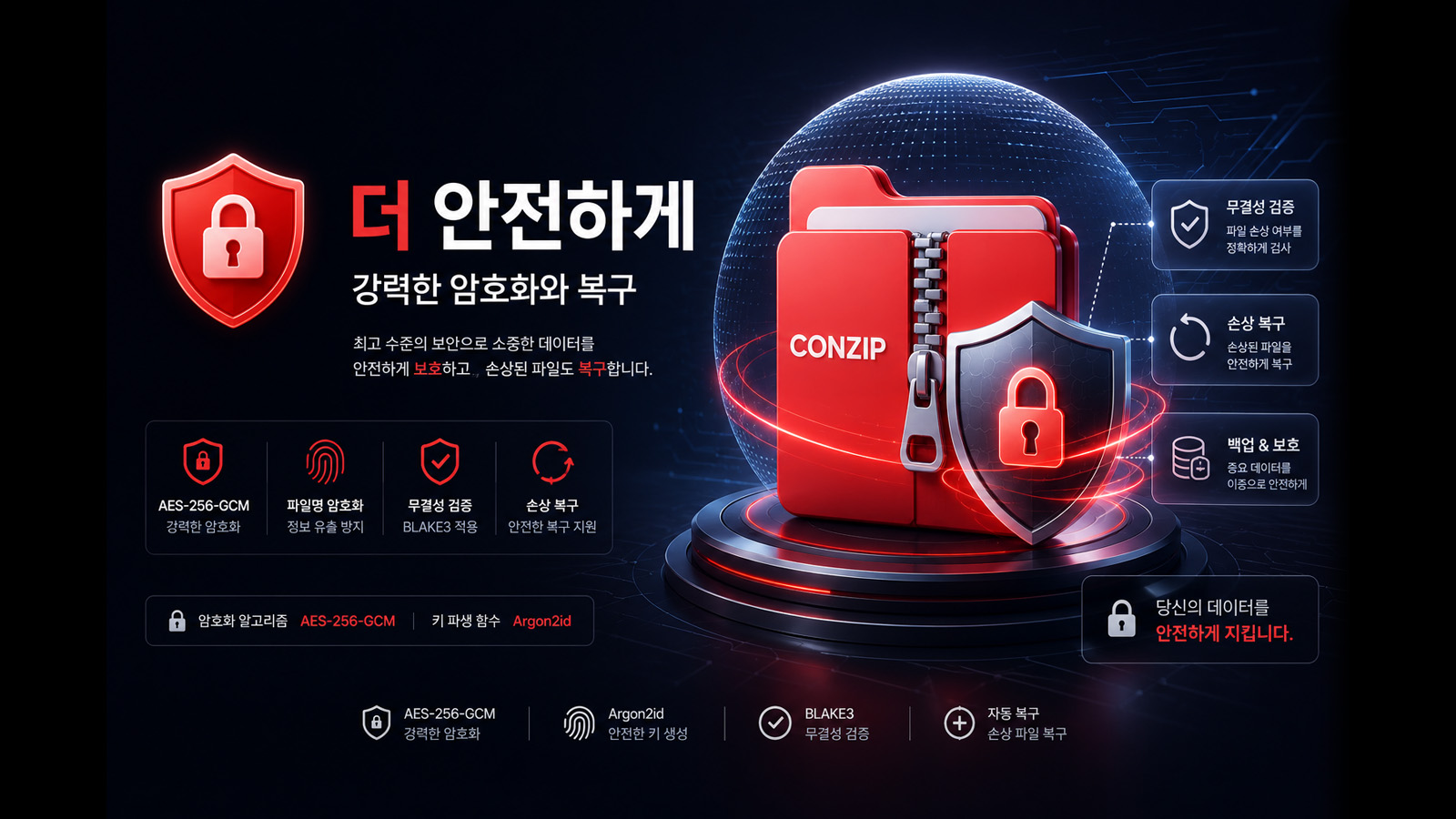
Password-protected storage uses AES-256-GCM encryption and a recovery key. A portable runtime is also prepared so stored files can be managed on supported Windows PCs where CONZIP is not installed.
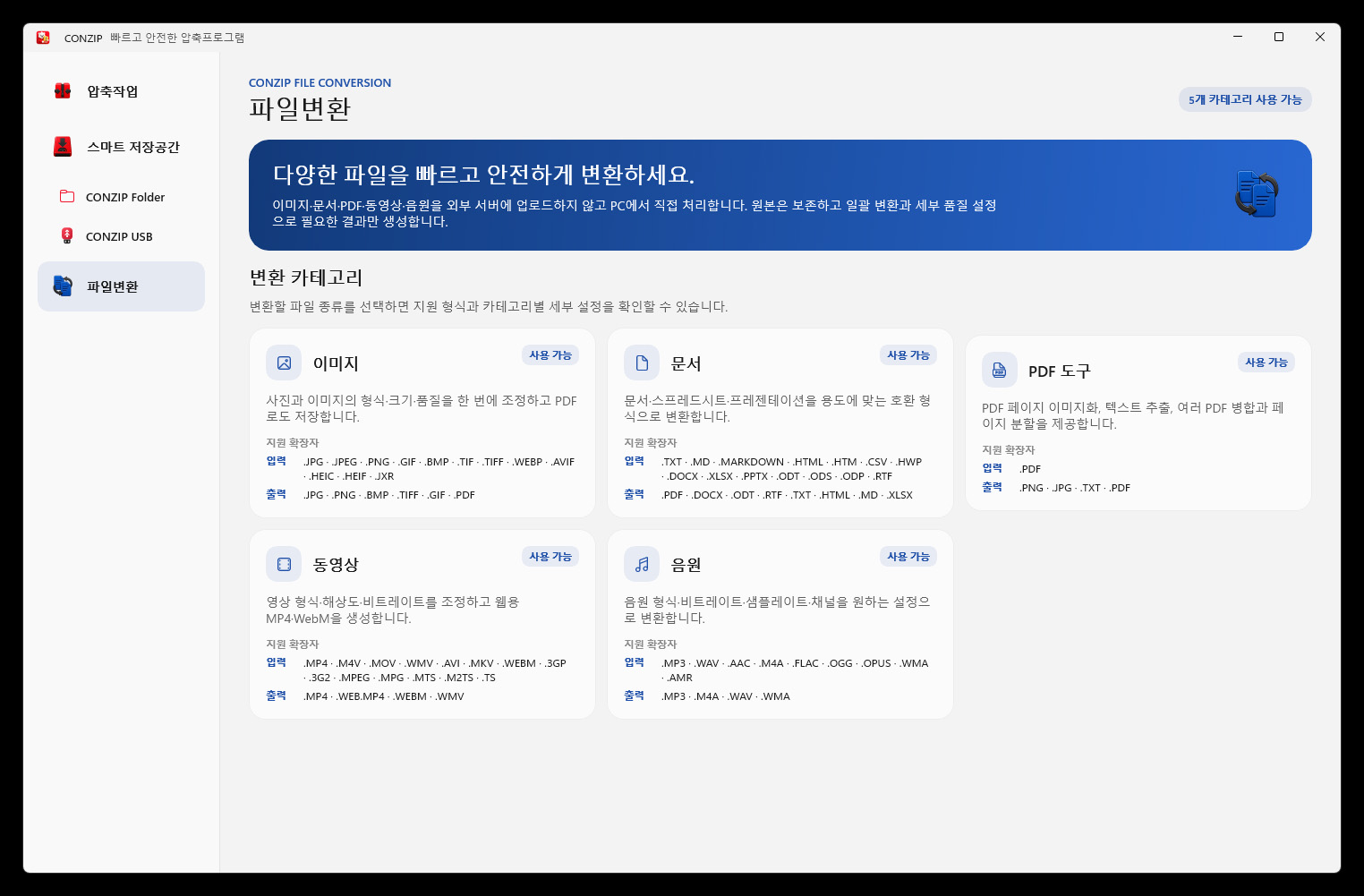
The conversion hub supports five categories: images, documents, PDF tools, video and audio. Processing stays on the PC without uploading files to an external server and includes drag and drop, batch conversion, quality, size and other detailed settings.
Users can change image formats and save PDFs, convert documents between compatible formats, render or extract text from PDF pages, merge or split PDFs, convert video to MP4 or WebM, and convert audio to MP3, M4A, WAV or WMA from one application.
CONZIP aims to be more than a tool for one archive format. It connects storage, transfer, protection and conversion in one integrated application. After launch, WITIVE will continue improving stability and usability based on feedback from real-world environments.
The company plans to expand supported archive and conversion formats, optimize large-file processing, and refine the management experience of CONZIP Folder and CONZIP USB while extending CZA technology into more storage environments.